Introduction
When working on any Oracle Fusion HCM Tables topic, one thing every consultant quickly realizes is this: understanding the data model is the foundation of reporting, integrations, and troubleshooting.
In real-world implementations, whether you are building OTBI reports, BI Publisher extracts, HDL validations, or OIC Gen 3 integrations — you will eventually deal with HCM tables. Even functional consultants often need table-level understanding to validate data, debug issues, or support technical teams.
In this blog, we will take a practical, consultant-level deep dive into Oracle Fusion HCM Tables, focusing on how they are used in real projects rather than just listing table names.
What are Oracle Fusion HCM Tables?
Oracle Fusion HCM tables are the backend database objects where all employee, organization, payroll, and talent data is stored.
Unlike legacy systems, Fusion uses:
Secure, multi-tenant cloud architecture
View-based access (secured views like PER_PERSONS, PER_ALL_PEOPLE_F)
Date-effective tables
Complex relationships between entities
In Fusion Cloud:
You do not directly access base tables
You work with:
BI Views (secured views)
OTBI subject areas
BI Publisher data models
HCM Extracts
Why Understanding HCM Tables is Critical
From implementation experience, here are the top reasons:
| Use Case | Why Tables Matter |
|---|---|
| Reporting (OTBI/BIP) | You need joins between tables |
| Integrations (OIC Gen 3) | APIs map to backend tables |
| HDL Data Loads | Data structure matches table design |
| Debugging Issues | You trace data inconsistencies |
| Security Troubleshooting | Role-based data filters apply |
Key Oracle Fusion HCM Tables (Core Data Model)
Let’s break down the most important tables every consultant must know.
1. Person and Employee Tables
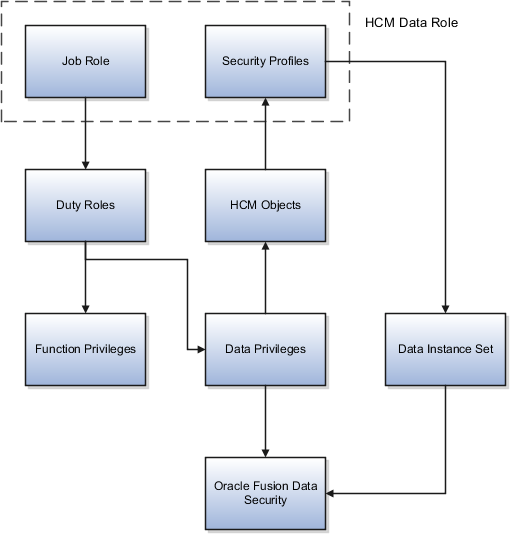

| Table Name | Description |
|---|---|
| PER_ALL_PEOPLE_F | Core person information (date-effective) |
| PER_PERSON_NAMES_F | Person names (first name, last name) |
| PER_PERSONS | Non-date effective person record |
| PER_EMAIL_ADDRESSES | Email details |
| PER_PHONES | Phone numbers |
Key Insight (Real Project Tip)
In most reports:
PER_ALL_PEOPLE_F + PER_PERSON_NAMES_F are always joined
Use:
EFFECTIVE_START_DATE
EFFECTIVE_END_DATE
2. Assignment Tables


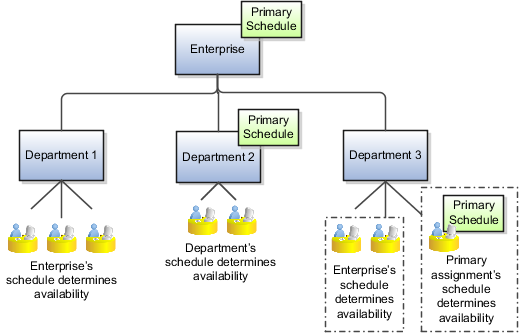
| Table Name | Description |
|---|---|
| PER_ALL_ASSIGNMENTS_M | Core assignment details |
| PER_ASSIGNMENT_SUPERVISORS_F | Manager details |
| PER_ASSIGNMENT_STATUS_TYPES | Assignment status |
Practical Insight
Every employee must have at least one assignment.
Common joins:
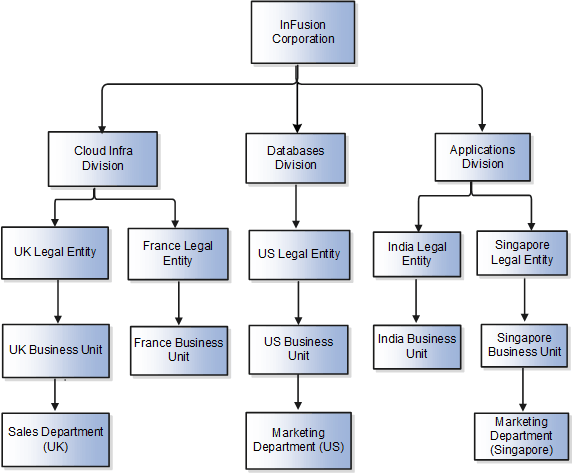
3. Organization Tables
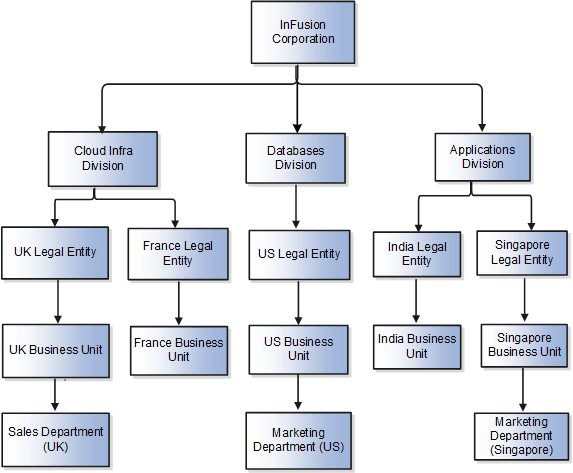
| Table Name | Description |
|---|---|
| HR_ALL_ORGANIZATION_UNITS_F | Departments/business units |
| HR_ORGANIZATION_UNITS_F_TL | Translated names |
| PER_DEPARTMENTS | Department details |
4. Job and Position Tables
| Table Name | Description |
|---|---|
| PER_JOBS_F | Job definitions |
| HR_ALL_POSITIONS_F | Position details |
| PER_POSITION_HIERARCHIES | Position hierarchy |
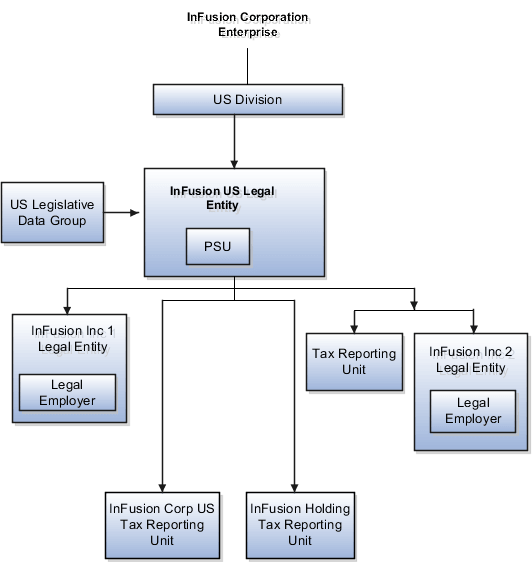
5. Payroll Tables

| Table Name | Description |
|---|---|
| PAY_ELEMENT_ENTRIES_F | Employee earnings/deductions |
| PAY_INPUT_VALUES_F | Input values for elements |
| PAY_RUN_RESULTS | Payroll results |
| PAY_PAYROLL_ACTIONS | Payroll processing runs |
6. Absence and Leave Tables
| Table Name | Description |
|---|---|
| ANC_PER_ABS_ENTRIES | Absence records |
| ANC_ABSENCE_PLANS_F | Leave plans |
| ANC_ABSENCE_TYPES_F | Leave types |
7. Talent Management Tables
| Table Name | Description |
|---|---|
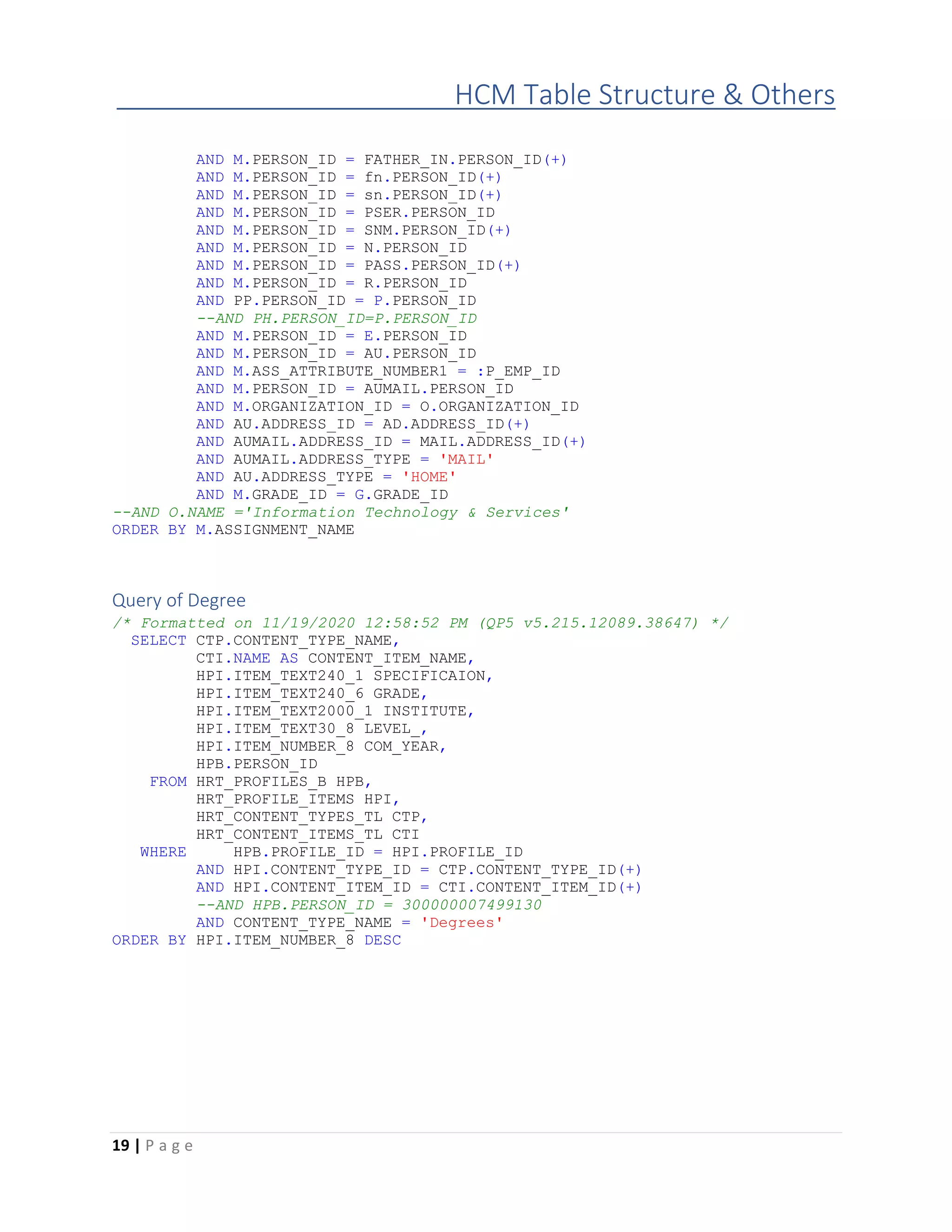
| HRT_PROFILES_B | Talent profiles |
| HRT_PROFILE_ITEMS | Skills, qualifications |
| HRA_EVALUATIONS | Performance evaluations |
Real-World Integration Use Cases
Scenario 1: Employee Master Integration
In an OIC Gen 3 project:
Extract data from:
PER_ALL_PEOPLE_F
PER_ALL_ASSIGNMENTS_M
Send to third-party system
Challenge: Handling date-effective records
Solution: Filter using:
Scenario 2: Payroll Reporting
Client requirement:
Monthly salary report
Tables used:
PAY_RUN_RESULTS
PAY_ELEMENT_ENTRIES_F
Scenario 3: Manager Hierarchy Report
Tables used:
PER_ASSIGNMENT_SUPERVISORS_F
PER_ALL_ASSIGNMENTS_M
Architecture / Technical Flow
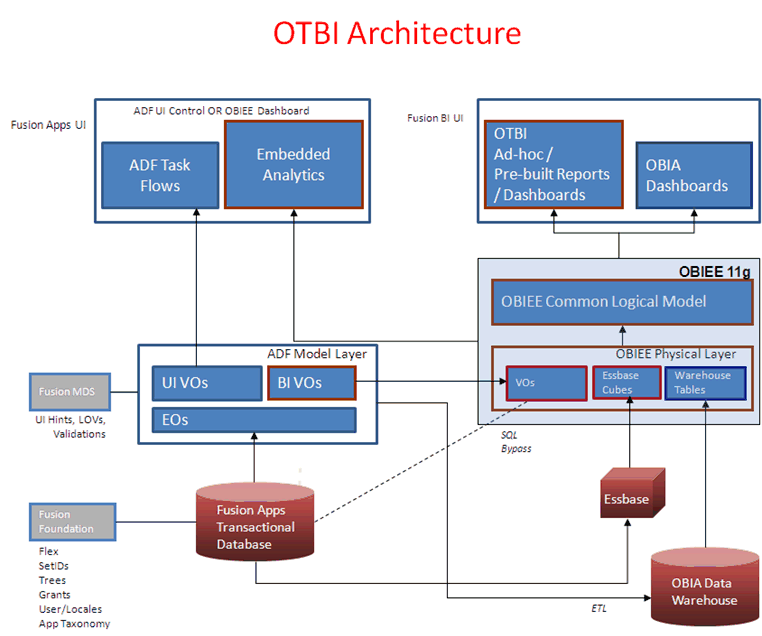
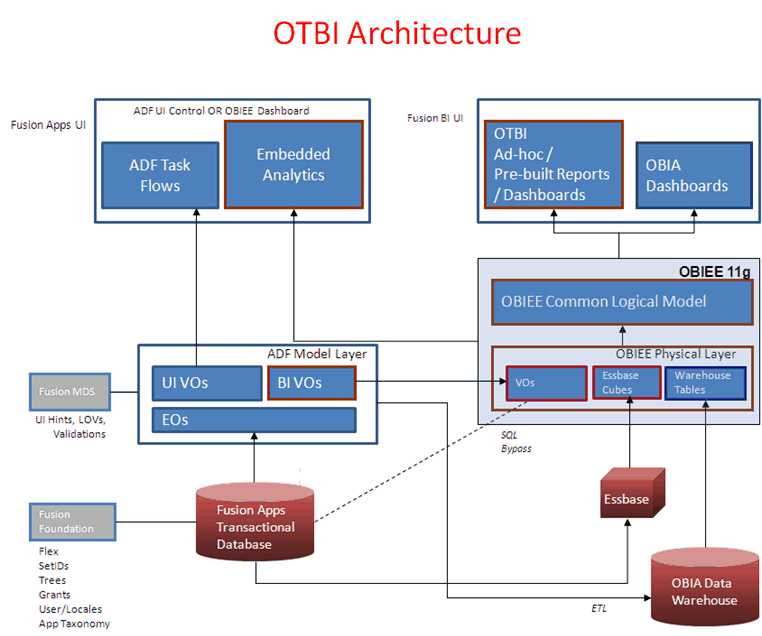
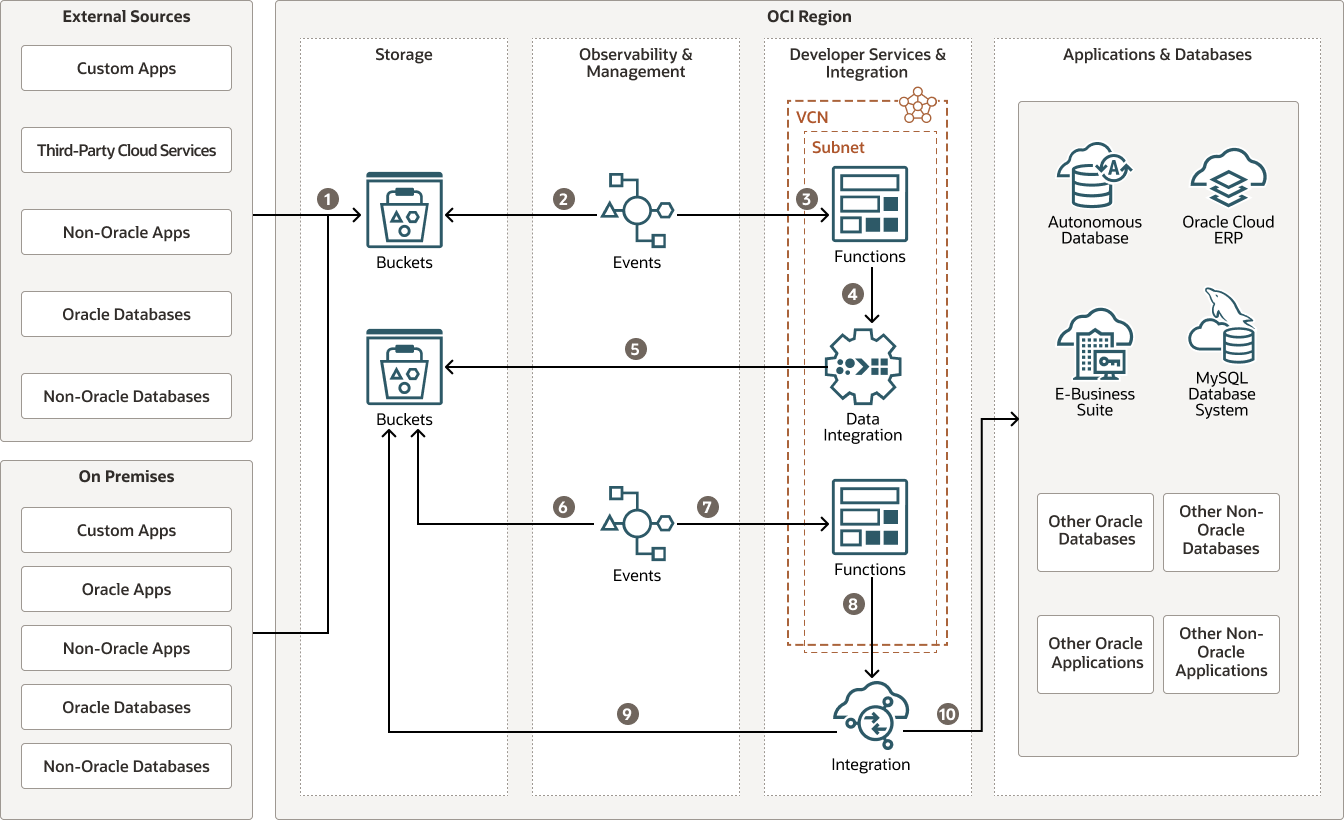
Flow:
Data stored in Base Tables
Exposed via Secured Views
Used in:
OTBI
BI Publisher
HCM Extracts
REST APIs
Prerequisites
Before working with HCM tables:
Access to:
BI Publisher
OTBI
Knowledge of:
SQL joins
Date-effective logic
Understanding of:
HCM business processes
Step-by-Step Example: Build a BI Report Using HCM Tables
Step 1 – Navigate to BI Publisher
Navigator → Tools → Reports and Analytics
Step 2 – Create Data Model
Use SQL:
papf.PERSON_ID,
ppnf.FIRST_NAME,
ppnf.LAST_NAME,
paam.ASSIGNMENT_NUMBER
FROM
PER_ALL_PEOPLE_F papf,
PER_PERSON_NAMES_F ppnf,
PER_ALL_ASSIGNMENTS_M paam
WHERE
papf.PERSON_ID = ppnf.PERSON_ID
AND papf.PERSON_ID = paam.PERSON_ID
AND SYSDATE BETWEEN papf.EFFECTIVE_START_DATE AND papf.EFFECTIVE_END_DATE
Step 3 – Create Report Layout
Use RTF Template
Map fields
Step 4 – Run Report
Expected Output:
Employee Name
Assignment Number
Testing the Data
Example Test Case
| Scenario | Expected Result |
|---|---|
| Active Employee | Record should appear |
| Terminated Employee | Should not appear |
| Future Hire | Should not appear |
Common Implementation Challenges
1. Date-Effective Confusion
Most tables use:
EFFECTIVE_START_DATE
EFFECTIVE_END_DATE
2. Duplicate Records
Occurs due to:
Multiple assignments
Multiple name records
3. Secured Views
You may not see all data due to:
Role-based security
Best Practices (Consultant Tips)
1. Always Use Date Filters
Never query without:
2. Avoid Base Tables
Use:
Secured Views
OTBI
3. Use Aliases Clearly
Example:
paam → assignment
4. Validate with UI
Always cross-check:
Frontend data
Backend query
5. Use Incremental Logic in Integrations
For OIC Gen 3:
Use last update date filters
Frequently Asked Interview Questions
1. What is PER_ALL_PEOPLE_F?
It stores core person data and is date-effective.
2. Difference between PER_ALL_PEOPLE_F and PER_PERSONS?
PER_ALL_PEOPLE_F → date-effective
PER_PERSONS → static data
3. What is PER_ALL_ASSIGNMENTS_M?
Stores employee assignment data.
4. What is date-effective table?
A table where records have start and end dates.
5. How to get active employee data?
Use:
6. What is secured view?
A view that enforces data security.
7. Which tables store payroll data?
PAY_RUN_RESULTS, PAY_ELEMENT_ENTRIES_F
8. How to get manager details?
Use PER_ASSIGNMENT_SUPERVISORS_F
9. What is PERSON_ID?
Unique identifier for employee
10. Difference between JOB and POSITION?
Job → generic role
Position → specific role instance
Real Implementation Scenarios
Scenario 1: Data Correction
Fix employee data mismatch by checking PER tables.
Scenario 2: Integration Failure
Missing assignment data → check PER_ALL_ASSIGNMENTS_M.
Scenario 3: Reporting Issue
Duplicate records → improper joins.
Expert Tips
Always understand business flow before querying tables
Avoid hardcoding values
Use views instead of tables wherever possible
Practice SQL on real scenarios
Summary
Understanding Oracle Fusion HCM Tables is not optional — it is a core skill for consultants.
Key takeaways:
Tables are the foundation of reporting and integrations
Date-effectivity is critical
Assignments drive employee structure
Always use secured views and filters
For more details, refer to Oracle documentation:
https://docs.oracle.com/en/cloud/saas/human-resources/index.html
FAQs
1. Can we directly access HCM tables in Fusion?
No, access is through secured views or reporting tools.
2. Which table is most important?
PER_ALL_PEOPLE_F and PER_ALL_ASSIGNMENTS_M.
3. Why do we get duplicate records?
Due to multiple date-effective entries or jo